Customers and sales · 5 min
Create and send an estimate
Describe the work, set prices and send your proposal.
Screenshots and button names reflect the French interface supplied with this guide.
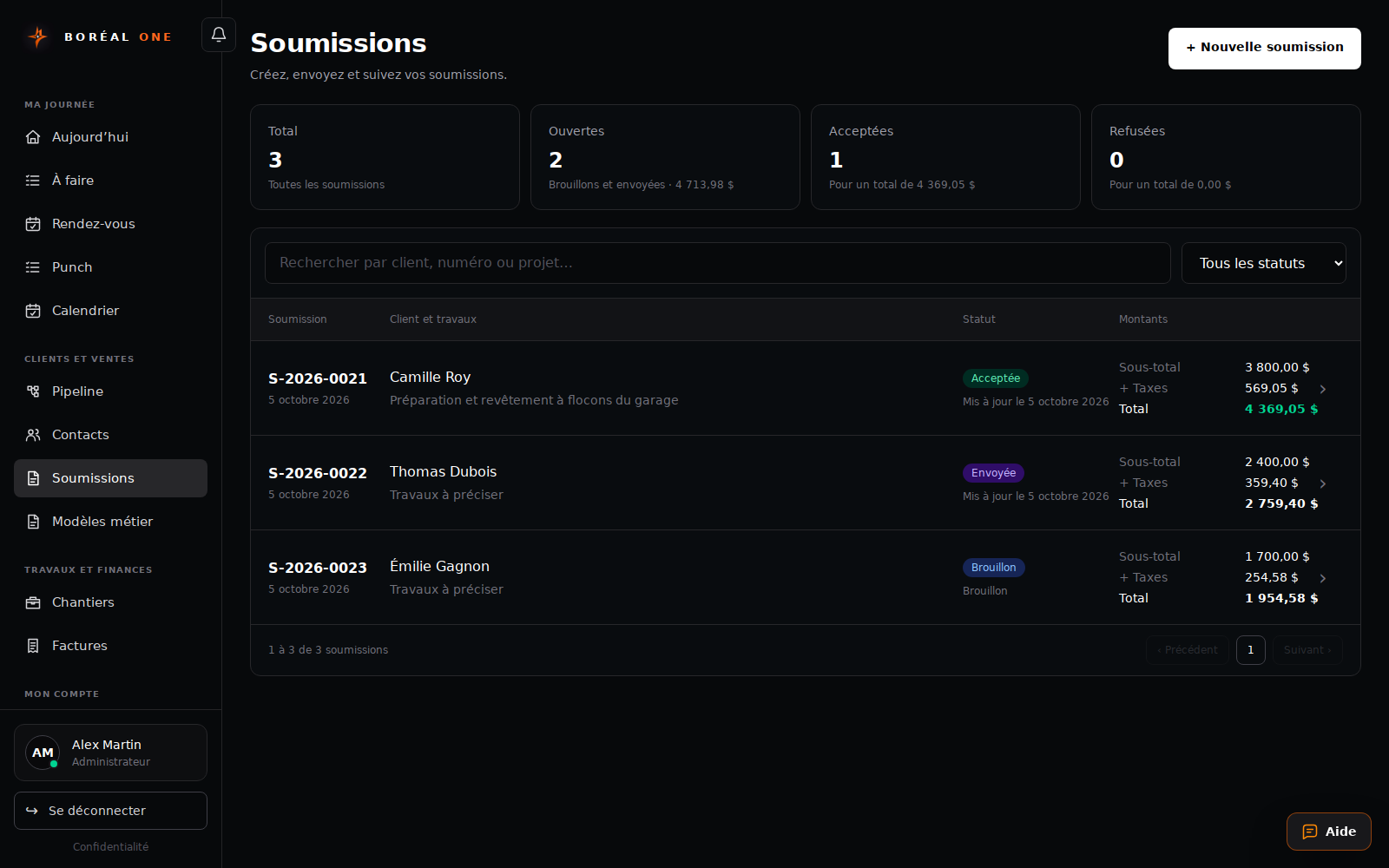
- 1
Select the customer
In Soumissions, choose + Nouvelle soumission and select the contact. Create their contact record first if needed.
- 2
Describe the work
Add descriptions, quantities, units and prices. Check taxes and the total. You can also start with a trade template.
View the creation screen - 3
Save the draft
Add notes and select Enregistrer le brouillon. Review the document before sending.
- 4
Send the proposal
Open the estimate and choose Envoyer. Check the recipient, then select Envoyer par courriel or Envoyer par SMS.
- 5
Follow the response
Review the status in Soumissions. Once accepted, an administrator or manager can select Planifier le chantier or Préparer un acompte.